Attendance management software for Indian companies
From biometric punches to a clean, payroll-ready day
Capture attendance from biometric devices and the web, apply your shift and grace rules, and close each day into numbers payroll can trust, with regularisation and approvals where they belong.
- Biometric device ingestion
- Configurable day-close
- Regularisation & approvals
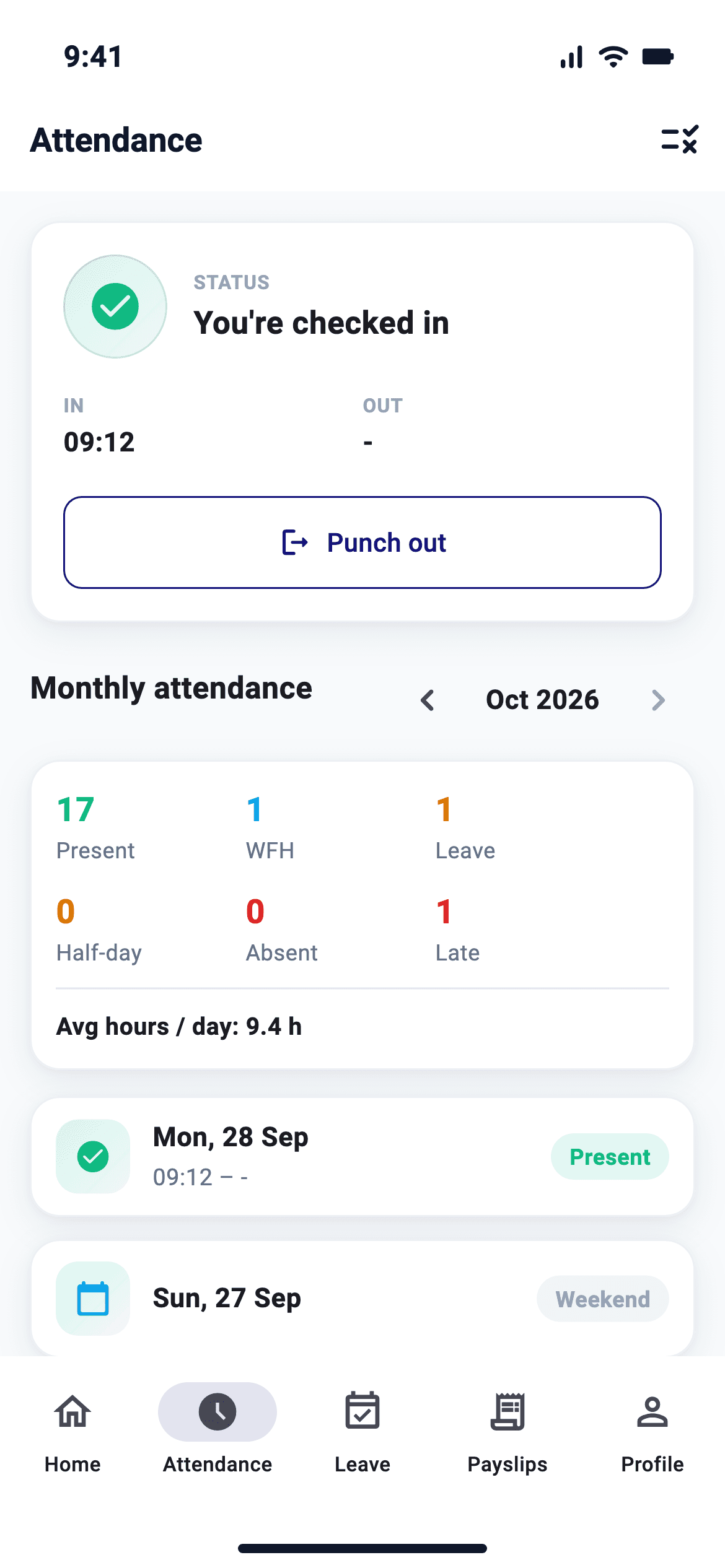
A punch from the phone, inside your boundary
Employees punch from the web or the NeevHR mobile app, within the geofence you set, or scan a QR code at the site. Biometric devices keep working alongside.
Sample screen. Geofenced punch and Scan QR are built into the NeevHR mobile app.
What attendance does in NeevHR
Biometric device ingestion
Punches arrive over the ADMS push protocol, with device last-seen status, deduplicated and mapped to the right employee and shift.
Configurable day-close
Grace windows, half-day and short-day rules turn raw punches into present, absent, late and overtime.
Regularisation & approvals
Employees raise regularisation for missed punches; managers approve in one inbox.
Pay at risk
Unjustified exceptions surface as loss-of-pay before payroll runs.
Geofenced and web check-in
Employees punch from the web or the mobile app, inside the geofence you set, with an office network allowlist for web punches. You choose which punch sources are allowed.
QR code attendance
Employees scan a QR code at the site with the NeevHR mobile app, from a kiosk tablet whose code changes every 30 seconds or a printed poster in English and Hindi, with a geofence per point.
Device management
Send employees to devices, remove leavers, set card numbers and location scope, compare each device's user list with NeevHR, and get an offline alert. Fingerprint and face templates stay on the device.
Bulk correction
Correct attendance for many people, up to 31 days at a time.
Late-coming reports
Late and habitual-late reports, with LOP where your policy says so.
Not punched today
See who has not punched and send reminders, plus who has no shift and a no-punch list for leadership.
Statutory registers
Attendance registers from your records. Form 25 and Form 12 use a common format, not a state-wise one.
How attendance works, step by step
- 1
Capture
Punches arrive from biometric devices over ADMS, web check-in or file import.
- 2
Apply rules
Shift, grace, break and overtime rules turn punches into an attendance status.
- 3
Regularise
Employees raise corrections; managers approve them in the inbox.
- 4
Close
The attendance period closes and LOP and overtime flow into payroll.
Benefits
- Fewer manual corrections before payroll
- LOP and overtime reach payroll without re-entry
- Locked periods stop changes after payroll closes
Who uses it
- HR and payroll
- Configure rules and close attendance each month.
- Managers
- Approve regularisation and overtime for their teams.
- Employees
- Check attendance and raise corrections.
Set as rule sets by your HR admin, assigned to employee groups.
- Shifts, grace windows and week-off policies
- Day-close rules per group
- Regularisation limits
- Overtime and shift allowances
Every list becomes a report; every report a chart that drills to records.
- Daily & monthly register
- Late, early-out & overtime
- Device health
- Muster roll
Attendance rules in India, built in
Since 21 November 2025 working hours, overtime and leave for workers are governed by the OSH Code, 2020, with the details in state rules; shops and offices also follow their state Shops and Establishments Act. Attendance has to apply those rules before payroll does.
Daily and weekly limits
No worker works more than 8 hours a day under the OSH Code; weekly limits and spread-over follow your state's rules.
Overtime at twice the rate
Overtime is paid at twice the ordinary rate with the worker's consent, within the quarterly cap your state notifies.
Weekly holiday
At least one day off in seven, with rosters checked before they are published.
Pay at risk before payroll
Missing punches and unjustified absences surface while there is still time to regularise them, so loss of pay is never a surprise.
Attendance: frequently asked questions
Which biometric devices work with NeevHR?
NeevHR accepts punches over the ADMS (iClock) push protocol used by many eSSL, ZKTeco and Matrix devices, plus punch file import. We confirm your device models during implementation.
Can employees punch by QR code?
Yes. Scan QR is built into the NeevHR mobile app. Set up a punch point as a kiosk tablet whose code changes every 30 seconds, or a printed poster in English and Hindi, with a geofence per point.
Can employees correct missed punches?
Yes. Employees raise regularisation requests that route for approval, and auto-regularisation rules can handle common cases.
How does attendance affect payroll?
Closed attendance produces LOP days and approved overtime, which payroll reads directly.
Does NeevHR apply the OSH Code overtime rules?
Overtime rules are configured per group: when overtime starts, the rate (twice the ordinary rate for workers under the OSH Code) and an optional quarterly cap from your state's rules. Approved overtime flows into payroll.
Can attendance work for field staff?
Yes. Field staff can mark attendance with geofencing, alongside biometric devices at sites and web check-in for office staff.
Can we set a grace period for late arrival?
Yes. Grace, half-day and short-day thresholds are part of the shift rules, applied the same way for everyone in the group.
Explore related modules
One platform, one employee record.
Guides and calculators
See attendance on your own data
A tailored walkthrough for your team, no generic deck.