Policy-checked claims, reimbursed with control
Expense and travel claims with receipts, policy checks, partial sanction and reimbursement through payroll or settled separately, with separation of duties between the approver and the payer.
- Claims & receipts
- Policy checks
- Separation of duties
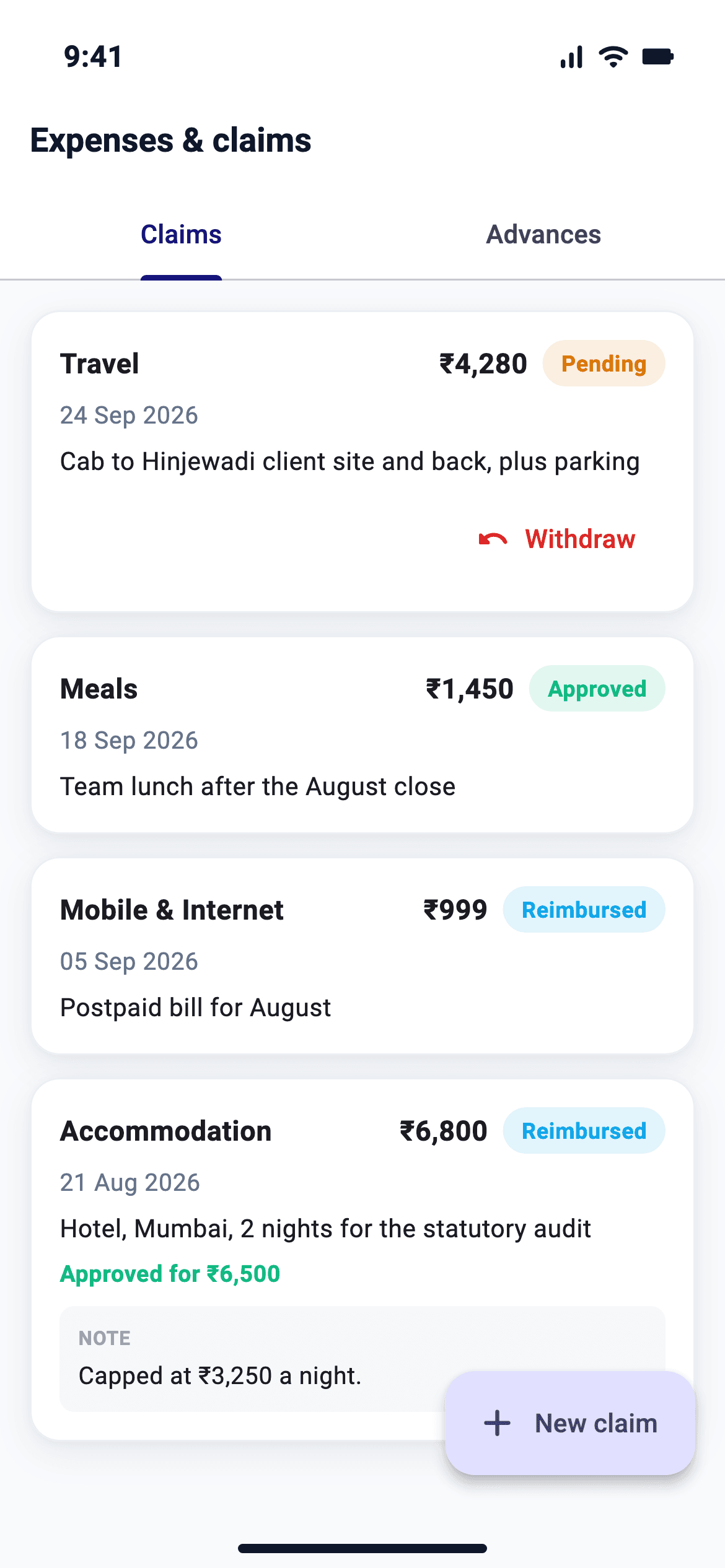
What expenses does in NeevHR
Claims & receipts
Employees submit claims with receipts; approvers sanction, return or reject.
Policy checks
Per-category caps, submission windows and pre-approval, with a recorded override for breaches.
Separation of duties
Approve and reimburse are separate permissions; the payer is never the approver.
Advances
Issue and settle cash advances, netting against claims or recovering via payroll.
Travel advance
Advances with a trip limit, adjusted on claim approval, with statement, ageing, bulk pay and recovery in F&F.
Mileage and per diem
Mileage rates, per diem by grade and location, and GST on bills.
Spend analytics
Spend by category, month and department, top claimants, policy breaks and approval speed.
AI receipt reading
When switched on, the amount, date, vendor and category are read from an uploaded bill, with a warning if it may already be claimed. The person checks it before submitting.
Unusual claim flags
The person deciding sees a flag when a claim is far from the person's own history or peers, comes unusually often, or is split on one day. Flags never block, and the claimant does not see them.
How expenses works, step by step
- 1
Claim
Employees submit claims with receipts against category policy.
- 2
Approve
Approvers sanction in full or in part, return or reject.
- 3
Reimburse
Approved claims are picked up by payroll or settled separately.
- 4
Report
Spend is reported by category, team and status.
Benefits
- Policy caps are checked when the claim is made
- The approver cannot also be the payer
- Advances are netted against claims
Who uses it
- Employees
- Submit claims and track status.
- Managers and finance
- Approve and reimburse.
- HR and finance
- Configure categories and caps.
Set as rule sets by your HR admin, assigned to employee groups.
- Categories and per-day caps
- Per-diem grade × location matrix
- Submission window and receipt threshold
- Advance ceilings
Every list becomes a report; every report a chart that drills to records.
- Spend by category
- Pending & reimbursed
- Advances outstanding
Expenses does not run in a silo
Like every module, it sits on one effective-dated employee record, with India's statutory rules, configuration and governance shared across the platform.
Built for India, only India
PF, ESI, PT, LWF and TDS, gratuity, bonus and the DPDP Act 2023 are part of the core product, not an add-on. INR and the India financial year throughout.
Depth without the drag
Process discipline and statutory accuracy for growing and mid-market companies, without the cost or the multi-year rollout of a tier-one suite.
A guided go-live
Implementation time depends on employee count, data quality, integrations and payroll complexity.
Configured by your HR admin
Leave, attendance, payroll, expense and appraisal are configurable rule sets assigned to employee groups. A trained HR admin can own them, no certified consultant required.
Expenses: frequently asked questions
Are expenses paid through payroll?
Approved, unsettled claims are picked up by the next payroll automatically, or they can be settled separately and marked reimbursed.
Explore related modules
One platform, one employee record.
Guides and calculators
See expenses on your own data
A tailored walkthrough for your team, no generic deck.